A loose charging port usually comes from compacted lint, a worn cable/plug fit, or a damaged connector soldered to the phone's board. Start with low-risk cleaning and cable checks you can do at home; move to part replacement or a technician when charging is intermittent, the port feels wobbly, or there are heat/burn signs.
Quick diagnostic summary for a loose charging port
- If the cable only charges at a specific angle, suspect debris or a worn port tongue/contacts.
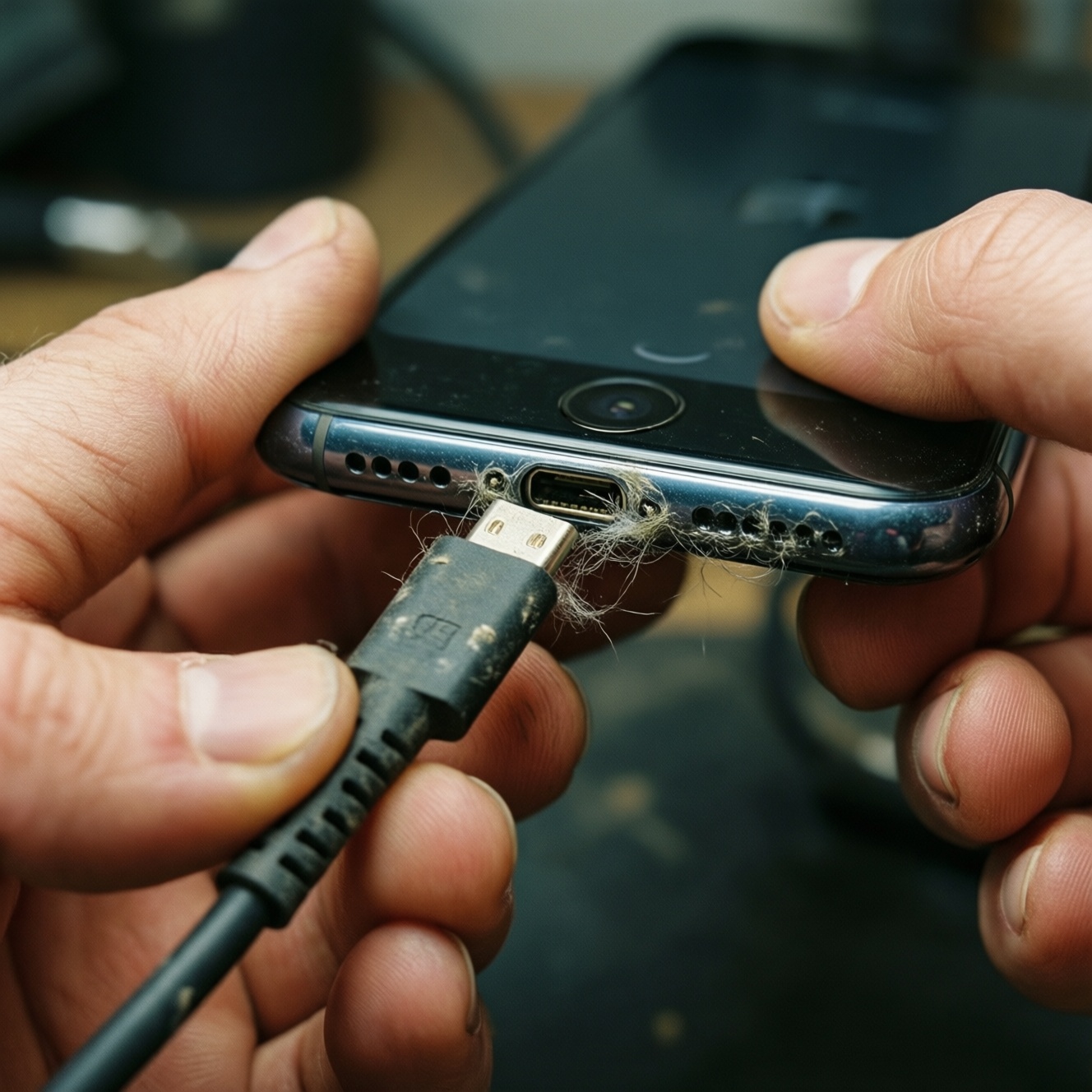
- If the plug clicks in weakly or falls out, expect lint compaction or a physically enlarged port shell.
- If the phone says charging but battery % does not rise, suspect moisture/corrosion or damaged connector pins.
- If the port is hot, smells, or shows discoloration, stop using it and don't attempt DIY cleaning while powered.
- If wireless charging still works (when supported), you can use it as a temporary workaround while diagnosing.
Typical causes of a loose charging port
- Lint and pocket dust compaction: the plug cannot fully seat, so it feels loose or disconnects easily (common in "ซ่อมช่องชาร์จโทรศัพท์ ไม่เข้า" cases).
- Worn or bent internal tongue (USB-C/Lightning): repeated stress makes the fit sloppy and charging angle-sensitive.
- Damaged or spread metal shell: plugging/unplugging at an angle can widen the port and reduce retention.
- Oxidation/corrosion: moisture + time increases resistance, causing intermittent charging and heat.
- Bad cable/adapter: a worn plug or poor tolerance can mimic a loose port; always rule this out before "ซ่อมพอร์ตชาร์จหลวม".
- Loose internal connector or cracked solder joints: the port module or board-level solder can flex; symptoms worsen when the phone is moved.
- Physical shock: drops can misalign the port, damage the bracket, or crack the surrounding frame.
- Charging while gaming in bed: constant sideways load accelerates wear on the port and internal joints.
Safety and preparation checklist before you start
| Option | Who it fits | Pros | Cons | When to choose |
|---|---|---|---|---|
| 1) Cable + adapter swap test | Anyone | Fast, zero risk, often solves "loose port" symptoms | Doesn't fix real port damage | Always first, before buying parts or searching "ร้านซ่อมพอร์ตชาร์จ ใกล้ฉัน" |
| 2) Dry port cleaning (non-metal pick) | Careful DIYers | Low-cost, high impact when lint is the cause | Can damage pins if rushed | When the plug won't seat fully or comes out easily |
| 3) Contact cleaning with 90%+ IPA (isopropyl alcohol) | DIYers comfortable with electronics handling | Helps with light oxidation, improves consistency | Not for wet devices; requires drying time | When charging is intermittent and the port looks dull/dirty |
| 4) Replace charging cable with better-tolerance plug (premium cable) | Users who need a quick, non-invasive improvement | No disassembly, sometimes improves retention | Can mask underlying wear; costs more than generic | When the port is borderline and you need reliability immediately |
| 5) Replace port module (if your model uses a sub-board/flat flex) | Intermediate DIYers with tools and patience | Real fix for many Android models; parts can be cheap | Risk of tearing flex, stripping screws, losing water seals | When cleaning fails and you can source the correct module locally |
| 6) Technician repair (module replacement or micro-soldering) | Anyone prioritizing time, warranty, or board-level issues | Proper diagnostics; handles solder-joint failures | Cost varies; quality depends on shop | When the port wiggles in the frame, overheats, or still fails after basic steps |
- Power off the phone before any port cleaning beyond a simple visual check.
- Safety-critical: if there is heat, smell, discoloration, or melted plastic, stop charging and do not attempt DIY.
- Use a bright light; don't guess-inspect the port depth and tongue alignment.
- Avoid metal needles; use wood/plastic to reduce short and pin damage risk.
- If the device is water-resistant, remember DIY opening/part swaps can compromise seals.
Budget-first DIY fixes with step-by-step guidance
Scenario 1: If the plug won't go in fully (often lint), then do a dry clean first
- Power off the phone completely.
- Shine a flashlight into the port and look for a "felt-like" packed layer at the back.
- Use a wooden toothpick or a trimmed plastic pick to gently scrape the back wall (not the center tongue).
- Tap out debris and repeat until the plug seats fully and retention improves.
- Test with a known-good cable; if the symptom "ซ่อมช่องชาร์จโทรศัพท์ ไม่เข้า" persists, move to the next scenario.
- Budget choice: toothpick + flashlight + careful patience.
- Premium choice: ESD-safe plastic spudger set for better control.
Scenario 2: If charging works only at an angle, then isolate cable vs port wear
- Test with two different cables and one different charger brick.
- Gently move the cable plug (millimeters only) while watching charge state.
- If only one cable is "angle-sensitive," replace that cable.
- If all cables are angle-sensitive, the port contacts or internal joints are likely worn.
- Budget choice: buy one decent mid-tier cable before assuming the phone needs repair.
- Premium choice: certified/brand cable (useful when a tighter plug fit reduces micro-movement).
Scenario 3: If the port looks dull/dirty but not physically loose, then do a controlled IPA clean
- Safety-critical: ensure the device is dry (no recent liquid exposure) and powered off.
- Dip a small, lint-free tip (foam swab or tightly wrapped microfiber) in 90%+ isopropyl alcohol; it should be damp, not dripping.
- Wipe the accessible port surfaces gently; avoid snagging on the center tongue.
- Let it air-dry fully before powering on and testing.
- Budget choice: small bottle of IPA + DIY swab from microfiber.
- Premium choice: foam swabs made for electronics to avoid fibers.
Scenario 4: If the port feels mechanically wobbly, then stop DIY and plan for repair
- Stop forcing the plug; each attempt can worsen solder cracks or damage the housing.
- Use wireless charging (if supported) or magnetic charging adapter only as a short-term workaround.
- Decide between a technician and a DIY port-module replacement based on your model's design (module vs board-soldered).
- When comparing "เปลี่ยนพอร์ตชาร์จมือถือ ราคา", ask whether the shop replaces a module or does micro-soldering and whether they test data transfer.
Scenario 5 (iPhone-specific): If it's an iPhone and symptoms persist after cleaning, then prioritize a shop quote
- Verify the cable and power adapter with another device.
- Clean lint carefully; iPhone Lightning ports are easy to damage with metal tools.
- If still unstable, request a diagnostic and quote for "ซ่อมพอร์ตชาร์จไอโฟน ราคา" including whether the port assembly or dock flex is replaced and whether water-resistance sealing is restored.
Affordable tools and replacement parts that work
- Confirm your connector type (USB-C, Lightning, Micro-USB) and your exact model code before ordering any port module.
- Start with the cheapest low-risk items: a known-good cable and a bright inspection light; these solve many "ซ่อมพอร์ตชาร์จหลวม" complaints without opening the phone.
- For cleaning, choose non-metal picks (toothpicks, plastic spudgers) and 90%+ isopropyl alcohol if needed.
- For disassembly, buy a basic precision screwdriver set plus a plastic pry tool; add tweezers only if you can control them without slipping.
- When replacing a module, prefer listings that show the exact flex/board layout and include the microphone gasket/bracket if your model uses one.
- If you care about long-term reliability, spend extra on a higher-quality replacement module rather than the absolute cheapest part with unclear photos.
Signs the device needs professional repair or replacement
- You see heat marks, melting, burnt smell, or the cable/port becomes hot during charging.
- The port is physically loose in the frame (movement of the whole connector), suggesting bracket damage or cracked solder joints.
- Charging cuts in/out when you lightly tap the phone, pointing to internal flex or board-level issues.
- Data transfer to a PC fails even when charging appears normal (pin damage can progress).
- You already cleaned lint thoroughly and tested multiple cables, but "ซ่อมช่องชาร์จโทรศัพท์ ไม่เข้า" remains unchanged.
- Screws are stripped, the back cover is glued, or the model is difficult to open without heat control-DIY risk rises fast.
- The phone is water-resistant and you cannot reseal it properly after opening.
- You are choosing a shop only by the lowest "เปลี่ยนพอร์ตชาร์จมือถือ ราคา" quote without asking what parts and tests are included.
- You intend to bend the port or "tighten" it with a metal tool-this commonly destroys pins and turns a cheap fix into a board repair.
Comparing costs, time, and warranty: DIY vs technician
DIY is usually the best fit when the issue is lint/oxidation or a clearly replaceable port module and you can accept the risk of mistakes and lost sealing; it's also the most budget-first path if you already own tools. A technician is typically the best fit when the port is wobbly, overheating, likely needs micro-soldering, or when you want a shop warranty and faster certainty-especially if you're searching "ร้านซ่อมพอร์ตชาร์จ ใกล้ฉัน" for same-day service.
Common practical questions with concise answers
How do I know if it's the cable or the port?
Test two cables and a different charger. If only one cable misbehaves, replace it; if all cables need an angle, the port or internal connection is the likely cause.
Is it safe to clean the port with a metal pin?
No. Metal can short contacts or bend pins; use wood or plastic and work slowly with the phone powered off.
Why does my phone show charging but the battery doesn't increase?
That can happen with high resistance from corrosion, damaged contacts, or unstable connection. Stop if there's heat and move to professional diagnostics if cleaning and cable swaps don't help.
When should I stop DIY and go to a shop?
Stop when the connector itself wiggles, the port heats up, or charging cuts out with minor movement. At that point, a shop can check for cracked solder joints or frame damage.
What should I ask when comparing เปลี่ยนพอร์ตชาร์จมือถือ ราคา?
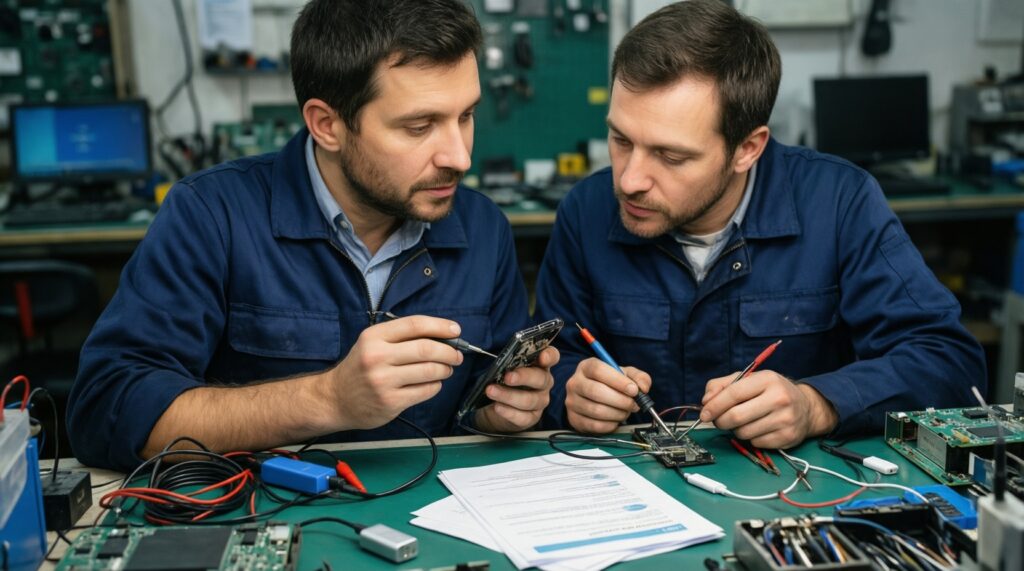
Ask whether they replace a port module or do board-level soldering, whether they test fast charge and data transfer, and what warranty period they provide for parts and labor.
Does ซ่อมพอร์ตชาร์จไอโฟน ราคา differ from Android repairs?
Often yes because the repair method and part design can differ by model. Request a quote that states the exact part replaced and whether sealing/adhesives are restored.