To pick a Custom ROM that fits your use in Thailand, start from your top priority (stability, battery, camera, or security), then narrow down to a ROM "type" rather than chasing a single Custom ROM ที่ดีที่สุด for everyone. Your best option is the one that matches your device's support level, update cadence, camera stack compatibility, and your tolerance for bootloader/unlocked trade-offs.
Quick ROM trade-off snapshot
- Stability-first: choose a "device-maintainer" ROM with conservative changes and predictable updates.
- Battery-first: prefer ROMs with stock-like power profiles and minimal background "features"; tune after install.
- Camera-first: pick ROMs known to keep vendor camera components intact; test GCam and HDR/4K early.
- Security-first: prioritize timely patches and clear privacy controls; accept limits if you must keep full verified boot.
- Compatibility-first: keep Google Play services unless you truly need MicroG; banking and DRM are common blockers.
- Long-term reliability: favor ROM families with active maintainers for your exact device model, not just the chipset.
Assessing ROM Stability and Update Cadence
Use these criteria to judge whether a ROM is a safe "daily driver" choice on your specific device (not in general):
- Device-specific maintainer quality: clear changelogs, reproducible bug reports, and device test notes.
- Release channel clarity: stable vs beta/nightly is explicitly labeled, with rollback guidance.
- Update cadence: regular security/bugfix drops, plus a track record of not breaking core features.
- Kernel strategy: stock kernel vs custom kernel; stock-like usually means fewer surprises.
- Vendor integration: whether the ROM relies on correct vendor blobs/firmware for modem, camera, biometrics.
- Known-issue transparency: published issues list (camera quirks, VoLTE/VoWiFi, NFC, fingerprint).
- Recovery and support maturity: compatible recovery, verified install steps, and realistic troubleshooting.
- Integrity/attestation expectations: whether the ROM targets "works with banking apps" or not.
- Exit plan: documented path back to stock (important if you later need service or resale).
Battery Life: Kernel, Power Profiles and Real-world Drain
Battery outcomes depend more on device trees, kernel defaults, and background services than marketing. Use this comparison to choose a starting point, then tune after you ติดตั้ง Custom ROM.
| Variant | Who it fits | Pros | Cons | When to choose |
|---|---|---|---|---|
| Stock-based ROM (OEM-like) | Users who want maximum hardware feature parity | Usually best modem/camera integration; fewer surprises with device-specific power hints | More preloaded services; heavier UI layers can add background drain | If you want close-to-stock behavior but with debloat/tweaks |
| AOSP "stable" build (minimal features) | People chasing Custom ROM ประหยัดแบตเตอรี่ via simplicity | Fewer background components; predictable scheduling; easy to debug wakelocks | Some vendor-specific power optimizations may be missing; depends on maintainer quality | If you prefer clean Android and are OK tuning a few settings |
| Feature-rich customization ROM | Power users who change UI/gestures/automation frequently | Lots of controls; advanced status/notification tweaks; sometimes extra power toggles | More services and hooks can increase idle drain; more interactions that can regress | If customization matters more than absolute idle efficiency |
| Privacy-focused ROM with de-Googling options | Users reducing Google background activity | Less Google telemetry; tighter permission tooling; can improve standby if configured well | Push notifications and location services can be tricky; more setup time | If you want privacy controls and can handle app workarounds |
| Custom kernel + scheduler tweaks | Intermediate users comfortable testing and reverting | Can improve thermals or screen-on efficiency on some devices; fine-grained control | Higher risk of instability, camera issues, or random reboots; tuning is time-consuming | If your base ROM is stable but you need targeted thermal/battery improvements |
| Gaming/performance-tuned build | High-refresh and sustained gaming users | Higher peak performance; more aggressive CPU/GPU behavior | Often worse battery; more heat; can accelerate throttling in long sessions | If you accept battery cost for consistent frame pacing |
Camera Support: HALs, GCam Compatibility and Image Processing
- If your phone is your main camera (people, night shots), then choose a ROM type that preserves vendor camera components and test HDR/night mode immediately; plan a fallback (secondary camera app) before committing.
- If you rely on 4K/60 or stabilized video, then prioritize ROMs with proven camera HAL compatibility on your exact model; avoid mixing experimental kernels until video is confirmed stable.
- If you want GCam as primary, then pick a ROM known for good Camera2 API behavior and stable auxiliary lens switching; verify front cam + ultra-wide tele toggles before daily use.
- If you scan documents/QR daily, then choose the ROM type with the most reliable autofocus and quick camera launch; "minimal AOSP" can be great if vendor autofocus stacks remain intact.
- If portrait mode and computational features matter, then prefer setups where image processing pipelines are not broken by aggressive "privacy" changes; test skin tones and edge detection in your typical lighting.
Security Measures: Verified Boot, Patch Frequency and Privacy Tools
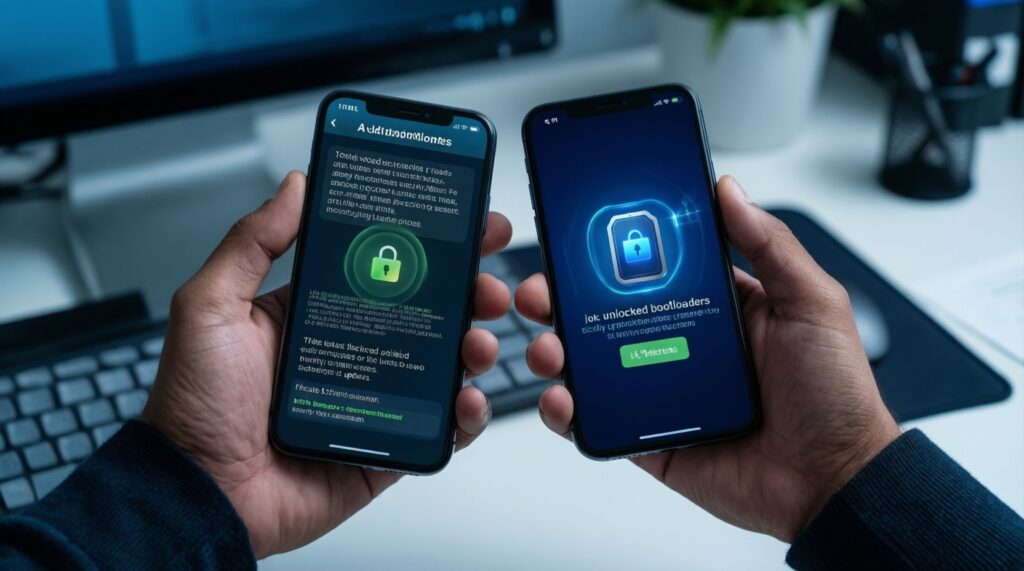
- Decide your baseline: do you require locked-boot verified boot for work/banking, or can you live with an unlocked bootloader?
- Pick the update discipline you can maintain: choose a ROM family where you will actually install patches, not just promise to.
- Validate the patch approach: prefer ROMs that clearly communicate security patch level updates and what changed.
- Check privacy controls: permission management, network access controls, and sane defaults that don't break core apps.
- Plan for integrity-dependent apps: list your must-have apps (banking, government, e-wallet) and decide whether you'll stay stock-like to reduce breakage.
- Keep a safe recovery path: ensure you can boot recovery and restore; a secure setup is also a recoverable setup.
- Minimize "unknown ZIPs": when you ดาวน์โหลด Custom ROM, avoid unofficial re-uploads and random add-on packs; this is the fastest way to lose "Custom ROM ปลอดภัย" in practice.
App Compatibility: Play Services, MicroG and ROM-specific APIs
- Assuming all apps work on AOSP: some apps depend on OEM frameworks (camera extensions, theming, device services).
- Underestimating Play Integrity/attestation: banking and wallet apps may fail after bootloader unlock or certain ROM changes.
- Switching to MicroG too early: it can break push notifications, maps/location behavior, and login flows if you don't validate per app.
- Mixing add-ons without a baseline test: flash ROM, boot, test essentials, then add root/modules; don't stack changes blindly.
- Ignoring regional requirements: Thai banking/e-wallet apps can be stricter; test them before migrating all accounts.
- Breaking DRM/widevine expectations: streaming quality may drop; decide if that matters before you commit.
- Assuming VoLTE/VoWiFi will "just work": carrier features can depend on vendor configs; verify calling reliability early.
- Over-tweaking background limits: aggressive battery restrictions can delay OTPs, chat messages, and ride-hailing notifications.
- Using ROM-specific APIs unknowingly: some customization features require companion services; removing them may cause instability.
Performance, Thermal Behavior and Long-term Reliability
- If you prioritize stability and low maintenance: choose a conservative, stable AOSP build or a stock-based ROM with a strong device maintainer; example: a midrange Snapdragon device used for work + banking, where you avoid experimental kernels and keep changes minimal.
- If you prioritize battery and standby: choose a minimal AOSP stable build, then tune sync/background rules carefully; example: an older flagship used mostly for messaging and browsing, where you keep Play services but disable nonessential background scans.
- If you prioritize camera consistency: pick a stock-based ROM or a device-validated build with confirmed vendor camera support; example: a popular camera-centric phone where you test HDR, 4K, and lens switching before migrating.
- If you prioritize privacy and control: choose a privacy-focused ROM and accept extra setup/testing time; example: a secondary device for travel where you can validate app compatibility gradually.
Overall, the "best" choice is the ROM type that matches your priority: stable-maintainer builds are best for low-risk daily use, minimal AOSP builds often suit battery-focused users, stock-based setups tend to preserve camera behavior, and privacy-focused ROMs suit users willing to trade convenience for control-especially after you confirm thermals and app integrity on your exact model.
Common decision points and clarifications
Is there one Custom ROM ที่ดีที่สุด for everyone?
No. The best ROM is device- and priority-specific; the same ROM family can be excellent on one model and problematic on another depending on maintainers and vendor integration.
Where should I ดาวน์โหลด Custom ROM to reduce risk?
Use official project pages and the device maintainer's canonical links, then verify file hashes when provided. Avoid mirrored re-uploads and "all-in-one" packs unless the ROM explicitly recommends them.
What's the safest order to ติดตั้ง Custom ROM and test it?
Flash the ROM first, boot once, and test calls/data, camera, biometrics, and your top 3 apps before adding root, kernels, or modules. This keeps troubleshooting deterministic.
Which settings matter most for a Custom ROM ประหยัดแบตเตอรี่ outcome?

Idle drain is usually driven by background sync, location scanning, and misbehaving apps rather than the ROM name. Start with stock-like kernel defaults, then tune app background limits carefully to avoid missing OTPs and messages.
Can a Custom ROM ปลอดภัย if the bootloader is unlocked?
It can be reasonably secure if you keep timely updates, avoid untrusted downloads, and maintain a recoverable setup. It won't be identical to a locked, fully verified-boot stock security model.
Will my banking and e-wallet apps work?
Maybe. Expect that some integrity checks can fail after unlocking or on certain ROM builds; test before migrating and keep a rollback plan to stock.